


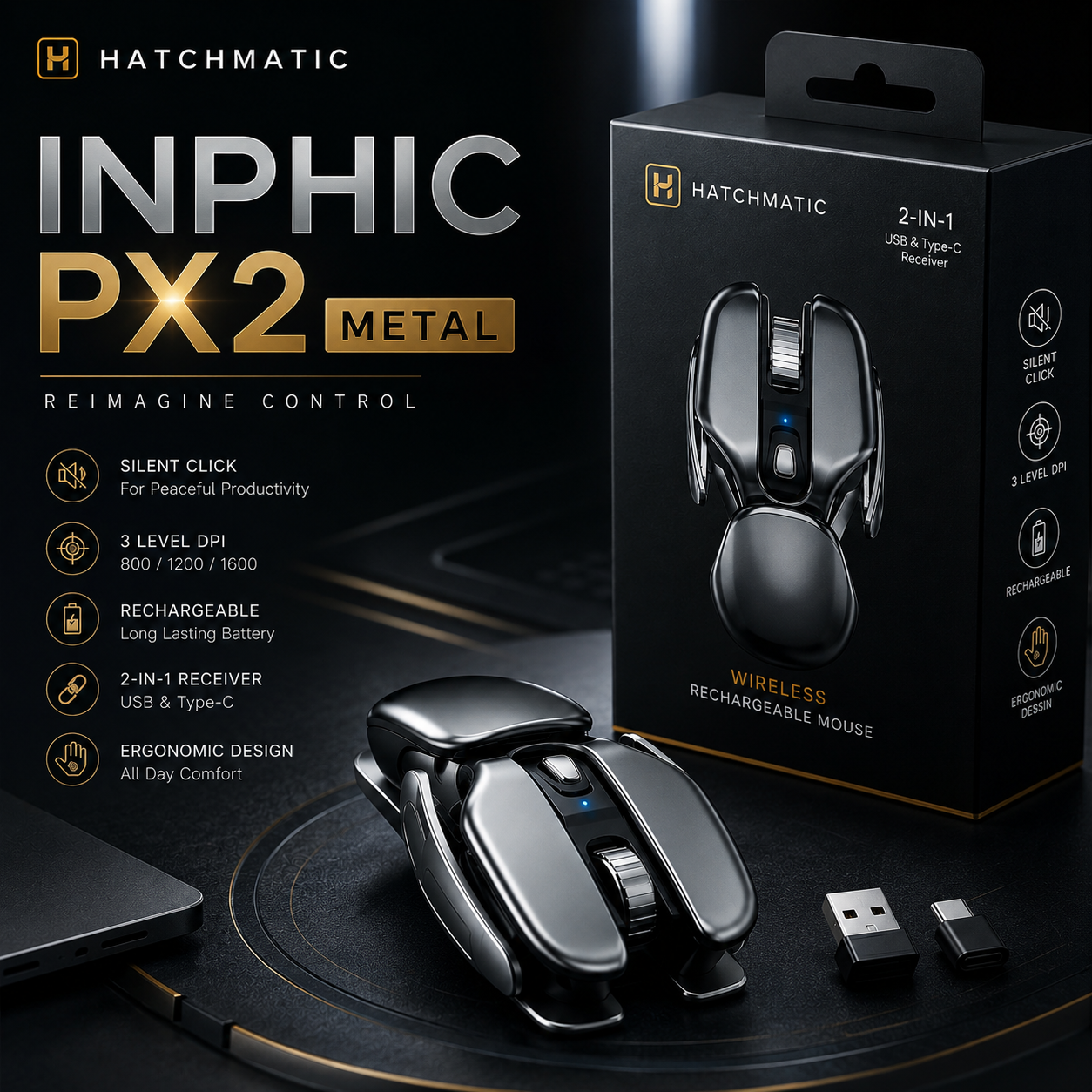
Inphic PX2 Metal Wireless Office & Gaming Mouse
Inphic PX2 Metal Wireless Office & Gaming Mouse


 and 1,00,000 people purchased
🖱️ Wearable Ring Mouse — One-finger control.
⚡ Wrist-Friendly Design — Comfortable daily use.
🔋 USB Rechargeable — Fast Type-C charging.
🎯 Adjustable DPI — Smooth precision control.
✈️ Pocket-Sized — Easy to carry anywhere.
🎮 Use Anywhere — Work, travel, or relax.
Imported Items
Very Limited Stock
Extra 10% off on Prepaid Orders
Couldn't load pickup availability
Get it between - and -.
-

Bahut unique mouse hai! Office work ke liye liya tha aur ab touchpad use karna almost band kar diya. Silent clicks aur rechargeable battery dono bahut useful hain. Design bhi premium lagta hai.
-

Work from home ke liye perfect gadget hai. Mouse lightweight hai, comfortable hai aur USB receiver lagate hi connect ho gaya. Battery backup bhi kaafi achha chal raha hai.
-

Travel ke dauran laptop ke saath use karta hoon. Compact size ki wajah se bag mein easily fit ho jata hai. DPI adjustment feature kaafi handy hai aur response bhi smooth hai.


Inphic PX2 Metal Wireless Office & Gaming Mouse

FEATURED ON


🖱️ The Future Of Computing Is On Your Finger

💖 WHY CUSTOMERS LOVE THIS

🎯 IDEAL FOR
👨💼 Office Professionals
🎓 Students
👨💻 Remote Workers
🎮 Casual Gamers
✈️ Frequent Travelers

⚙️ KEY FEATURES
🖱️ Finger-Wearable Ergonomic Design
⚡ 2.4GHz Wireless Connectivity
🔋 Type-C Fast Charging
🎯 Adjustable DPI Levels
💡 LED Status Indicators
📦 Ultra Compact Build
🔇 Silent Click Technology
🖥️ Wide Compatibility

🎥 HOW IT WORKS
1️⃣ Plug The Receiver
2️⃣ Wear The Mouse
3️⃣ Power It On
4️⃣ Control Effortlessly
5️⃣ Recharge When Needed

Shipping & Returns
Shipping & Returns
All orders are processed by our extra careful fulfillment team within 48-72 hours. Deliveries depending on your locations will take from 5-7 days.
Our guarantee to you
Our guarantee to you
We stand by our products 100% – if you're not completely satisfied, we'll make it right.


10,000+ Happy Customers
✦
Quality You Can Trust
✦
Quick And Easy Returns
✦
30 Days Guarantee
✦
Fast Shipping
✦
10,000+ Happy Customers
✦
Quality You Can Trust
✦
Quick And Easy Returns
✦
30 Days Guarantee
✦
Fast Shipping
✦
10,000+ Happy Customers
✦
Quality You Can Trust
✦
Quick And Easy Returns
✦
30 Days Guarantee
✦
Fast Shipping
✦
10,000+ Happy Customers
✦
Quality You Can Trust
✦
Quick And Easy Returns
✦
30 Days Guarantee
✦
Fast Shipping
✦
🖱️ The Future Of Computing Is On Your Finger
Control your laptop, presentations, videos, and work with a tiny wireless finger mouse designed for maximum comfort and freedom.

Comparison with Similar Brands
Discover the difference with our brand, where we blend exceptional quality
| BBL™ | Others | |
|---|---|---|
Wireless Control |
||
Rechargeable Battery |
||
Adjustable DPI |
||
Ergonomic Design |
||
Ultra Portable |
||
USB Rechargeable |

🎯 3 Adjustable DPI Levels
Switch Between 800, 1200 & 1600 DPI Easily.Instant connection with USB & Type-C Receiver.


Frequently Asked Questions (FAQs)
Can I continue using this wireless mouse while it is plugged in and charging?
Can I continue using this wireless mouse while it is plugged in and charging?
Yes, absolutely! If the internal battery runs low in the middle of a workday, simply plug the charging cable into the front of the mouse and hook it up to your computer. It will function perfectly as a wired mouse while juicing back up.
Will the 2.4G wireless nano USB receiver stick out too far from my laptop port?
Will the 2.4G wireless nano USB receiver stick out too far from my laptop port?
Not at all. The included nano USB receiver is ultra-compact and designed to sit nearly flush against the side of your machine. You can leave it plugged into your laptop permanently, or slide it into the built-in storage slot underneath the mouse so it never gets lost.
How quiet are the silent-click buttons compared to a normal computer mouse?
How quiet are the silent-click buttons compared to a normal computer mouse?
This mouse reduces overall clicking noise by roughly 90% compared to traditional desktop mice. You still get a solid, crisp physical sensation under your fingertips when pressing down, but the sharp, clicking noise is softened into an almost undetectable dull whisper.
Do I need to turn the mouse off manually every time I step away from my work desk?
Do I need to turn the mouse off manually every time I step away from my work desk?
While there is a manual on/off power switch on the bottom of the chassis to save battery during long travel trips, you don't need to use it daily. The mouse features a built-in multi-stage power-saving mode that automatically drops it into a deep sleep when left idle.
✦

✦

✦

✦

✦

✦
✦
✦
✦
✦
✦
✦
✦
✦
✦
✦
✦
✦
✦
✦